
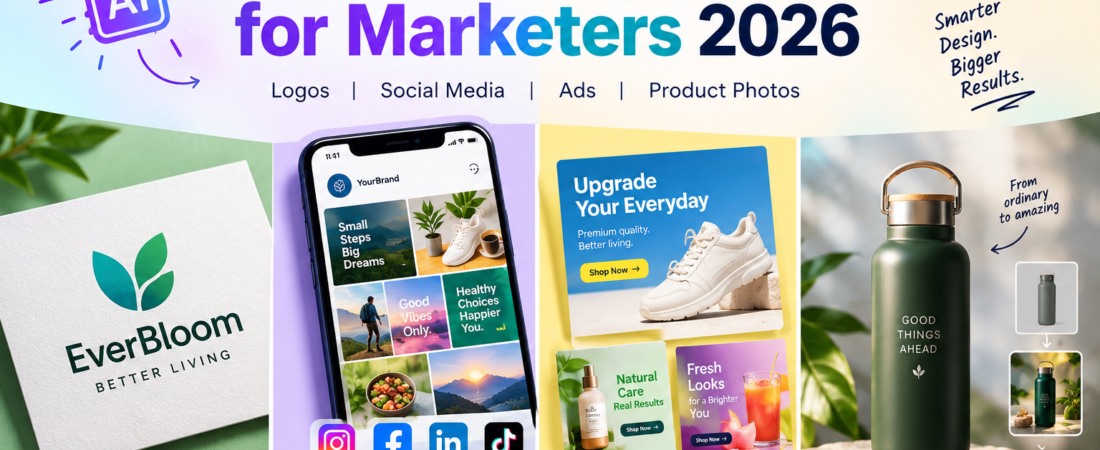
Small businesses no longer need a full design team to produce a steady stream of marketing visuals. In 2026, AI design tools can help create logos, social media graphics, advertising creatives and product images in a fraction of the time traditional workflows often require.
But having more AI tools does not make the choice easier. A logo maker is not necessarily a good social media tool, and an AI image generator is not automatically the best solution for e-commerce product photography. The right choice depends on what you need to produce and how often you need to produce it.
This guide compares nine practical AI design tools and shows where each one fits best, so you can choose a tool—or a small combination of tools—without paying for features you will never use.
Quick answer: the best AI design tools for marketers in 2026
| What you need | Top pick | Why it stands out |
| Best overall for small-business marketing | Canva | A broad mix of templates, AI-assisted design and easy editing |
| Logo and basic brand identity | Looka | Built around logos, brand styles and supporting brand assets |
| AI graphics and vector-style assets | Recraft | Useful for illustrations, icons and scalable-looking creative assets |
| Text-heavy visual concepts | Ideogram | Particularly useful when typography is important |
| Social media content | Canva | Fast creation, resizing, templates and broad marketing use |
| Social content at higher volume | Predis.ai | Designed around social content generation and publishing workflows |
| Advertising creatives | AdCreative.ai | Focused specifically on generating and testing ad creatives |
| Product photography | Photoroom | Strong workflow for clean product images and background editing |
| AI product scenes | Pebblely | Creates lifestyle-style backgrounds around products |
What are AI design tools?
AI design tools use artificial intelligence to assist with visual creation, editing and production. Depending on the platform, you can start with a text prompt, an existing image, a template, a product photograph or a rough idea.
The output can range from a simple social media post to a logo concept, advertising creative or a product scene. Some platforms are general-purpose design systems, while others are built for one particular marketing job.
For small businesses, the most useful benefit is usually speed. Instead of spending hours creating every asset from scratch, you can use AI to generate a starting point, produce variations and then spend your time reviewing and refining the result.
Why small businesses are using AI for marketing design
- Speed: a first design concept can often be produced in minutes.
- More variations: one campaign idea can become several social posts or advertising concepts.
- Lower production costs: businesses can handle many routine visual tasks without outsourcing every small job.
- Consistency: templates, brand kits and reusable assets can make recurring content easier to produce.
- Testing: marketers can try different headlines, layouts, images and visual directions before committing to a campaign.
- Accessibility: people without advanced graphic-design skills can produce useful marketing material.
The important point is that AI is most valuable when it solves a repeatable business problem. Generating one impressive image is easy; building a reliable marketing workflow is much more useful.
Best AI tools for logo design for small businesses
1. Looka — best for logos and a simple brand identity
Looka is a strong starting point for a new business that needs a logo without going through a full branding project. Its workflow is centered around logo creation and can extend into supporting brand assets.
That makes it more useful for a small business owner who is starting from zero than a general image generator. You can explore different visual directions and choose a style that can then be used consistently across business materials.
Best for: startups, freelancers, local businesses and small companies creating a new visual identity.
Watch out for: a generated logo is only the beginning of a brand identity. You should still check readability, originality, consistency and how the mark works at small sizes.
2. Recraft — best for flexible AI graphics and vector-style assets
Recraft is useful when you need more than a basic logo-maker experience. It can be used for illustrations, icons, graphic concepts and other brand-related visual assets.
This is particularly helpful when a business wants a family of related graphics rather than a single logo. For example, a marketer might create an icon set, campaign illustration and supporting visual elements around the same brand direction.
Best for: marketers and content teams that need AI-generated graphics and brand assets.
Watch out for: always review the final files and licensing terms before using important commercial assets.
3. Ideogram — useful for typography-heavy creative work
Ideogram is worth considering when text itself is a major part of the visual. That makes it useful for posters, promotional concepts, campaign graphics and social content where the wording needs to be integrated into the design.
It is not necessarily a replacement for a dedicated brand-identity workflow, but it can be a valuable creative tool when you want to explore visual directions quickly.
Best for: marketers creating text-heavy graphics, promotional concepts and campaign visuals.
Best AI tools for social media content creation
4. Canva — best all-round choice for social media
For many small businesses, Canva is the most practical starting point because it combines templates, editing, social-media formats and AI-assisted creation in one environment.
The advantage is not just the number of features. It is the workflow. A business can create an Instagram post, adapt the design for another format, add its brand elements and continue editing without moving between several specialist applications.
For example, a small restaurant launching a weekend promotion could create the main social graphic, resize it for different placements and prepare supporting promotional material from the same design system.
Best for: businesses that want one general-purpose marketing design platform.
5. Adobe Express — best for marketers already using Adobe
Adobe Express is a practical option for creating quick branded graphics and social content while staying within the broader Adobe ecosystem.
It can make sense for a business that already uses Adobe products or stores creative assets in that environment. It is less about replacing professional Adobe applications and more about making everyday marketing production faster and simpler.
Best for: Adobe users, small content teams and marketers who want quick branded content.
6. Predis.ai — useful for social content at scale
Predis.ai is more directly focused on social media marketing. It can help turn ideas, products or marketing information into social content and variations.
This becomes useful when the problem is not creating one good post, but maintaining a consistent publishing schedule. A small business with several products or frequent promotions may get more value from a workflow that helps generate content repeatedly.
Best for: small businesses and marketers producing social content regularly.
Watch out for: automated content still needs human review. Check claims, spelling, product details, brand tone and platform suitability before publishing.
Best AI tools for ad creatives
7. AdCreative.ai — best for advertising-focused creative production
AdCreative.ai is built specifically around advertising creatives, which makes it different from a general design platform. If your main objective is producing multiple concepts for paid campaigns, a specialist tool can be more useful than a general editor.
The real advantage for performance marketing is variation. Instead of spending most of the campaign budget on one visual concept, marketers can prepare different creative directions and learn which messages and designs perform better.
Best for: paid-media teams, e-commerce businesses and marketers who regularly test advertising creatives.
Watch out for: AI-generated creative does not guarantee campaign performance. Audience, offer, landing page, targeting and messaging still matter.
Canva vs Predis.ai vs AdCreative.ai for marketing campaigns
These tools overlap, but they solve different problems.
Canva is the better general-purpose choice when you want direct creative control. Predis.ai is useful when social-content production and volume are the priority. AdCreative.ai makes more sense when paid advertising and creative testing are central to the workflow.
A small business does not necessarily need all three. Choose according to where most of your marketing effort goes.
Best AI tools for product photography
8. Photoroom — best for practical product image editing
Photoroom is especially useful for e-commerce sellers and product-based businesses that need clean, professional-looking images without setting up a traditional studio for every product.
Common tasks include background removal, product-image cleanup and preparing visuals for online stores, marketplaces and social media.
Imagine a small online seller receiving 30 new products. Instead of photographing every item against a perfect studio background, the seller can use a consistent editing workflow and prepare the images for multiple marketing channels.
Best for: e-commerce sellers, online shops and product-based small businesses.
Watch out for: AI editing should not change important characteristics of the actual product. Your final image should accurately represent what the customer will receive.
9. Pebblely — best for AI-generated product scenes
Pebblely takes product imagery in a different direction by helping place products into AI-generated backgrounds and scenes.
This is useful when a plain product cutout is not enough. A skincare product, for example, may look more engaging when shown in a clean lifestyle setting rather than against a simple white background.
Best for: product marketing, social campaigns and lifestyle-style product imagery.
Watch out for: generated scenes should support the product rather than create unrealistic features or misleading claims.
Best AI design tools for marketers: comparison
| Tool | Best for | Main strength | Best suited to |
| Canva | General marketing design | Templates, AI features and editing | Most small businesses |
| Looka | Logo and branding | Logo and brand-kit workflow | New businesses |
| Recraft | AI graphics | Illustrations and vector-style assets | Brand/content teams |
| Ideogram | Typography-heavy graphics | Text-focused visual generation | Creative marketers |
| Adobe Express | Quick branded content | Simple Adobe-based workflow | Adobe users |
| Predis.ai | Social media | Content generation and variations | Social marketers |
| AdCreative.ai | Ad creatives | Advertising-focused production | Paid-media teams |
| Photoroom | Product photography | Product image editing | E-commerce sellers |
| Pebblely | Product scenes | AI backgrounds and lifestyle scenes | Product marketers |
Which AI design tool should a small business choose?
The best tool depends on the job, not on how many features appear on the pricing page.
- Need a logo and basic brand identity? Start with Looka.
- Need everyday marketing graphics and social posts? Start with Canva.
- Need more AI-generated illustrations or vector-style assets? Look at Recraft.
- Need promotional graphics where typography matters? Consider Ideogram.
- Already work heavily with Adobe? Adobe Express may fit your existing workflow.
- Need frequent social content? Consider Predis.ai.
- Run paid advertising and need multiple creative concepts? Look at AdCreative.ai.
- Sell physical products online? Start with Photoroom.
- Want lifestyle-style product scenes? Consider Pebblely.
Should you use one AI design tool or several?
For most small businesses, starting with one general-purpose tool and adding one specialist tool is more sensible than buying several subscriptions immediately.
For example, Canva plus Photoroom can cover a large portion of the visual needs of an e-commerce business. Canva plus AdCreative.ai can make more sense for a business focused heavily on paid advertising.
The goal should be a simple workflow: create the idea, generate a useful first version, review it, adapt it to the required channel and publish it. If a second tool removes a recurring bottleneck, then add it.
Free vs paid AI design tools
Many AI design platforms provide free access, trials or limited generation. These are useful for testing whether a workflow fits your business before paying.
However, do not compare plans only by monthly price. Check generation limits, export options, watermarks, premium templates, brand controls, commercial-use terms and whether the features you actually need are included.
For occasional design work, a free plan may be enough. For a business producing content every week, a paid tool can make sense if it saves meaningful time or allows you to produce more useful marketing assets.
AI design tools vs hiring a designer
AI does not make good design judgment unnecessary. It changes where the human effort is spent.
AI is excellent for first concepts, repetitive production, background removal, variations and quick visual exploration. A designer or experienced marketer is still valuable for brand strategy, art direction, visual consistency, accessibility, final quality control and decisions about what the audience should see.
For a small business, the most practical model is often AI for speed and people for judgment.
Common mistakes when using AI design tools
- Choosing a tool because it has the most features rather than because it solves a real business problem.
- Publishing the first AI-generated result without checking it.
- Using generic AI visuals that look almost identical to competitors’ content.
- Failing to check spelling, logos, product details and brand consistency.
- Using AI-generated product images that misrepresent the actual product.
- Ignoring commercial-use, licensing or platform-specific restrictions.
- Producing large amounts of content without a clear marketing strategy.
- Paying for several overlapping subscriptions before proving that each one is useful.
Frequently asked questions
What is the best AI design tool for marketers in 2026?
For many marketers, Canva is the best all-round starting point because it combines design templates, editing and AI-assisted creation. Specialist tools can be better for specific jobs such as logos, advertising or product photography.
What is the best AI logo maker for a small business?
Looka is a strong choice when you want a logo and a basic brand-identity workflow. Recraft and Ideogram can be useful for broader visual exploration.
What are the best AI tools for social media content creation?
Canva is a strong general-purpose choice, while Predis.ai is worth considering when producing social content at higher volume is the main requirement.
Which AI tool is best for ad creatives?
AdCreative.ai is specifically focused on advertising creatives. Canva is a good alternative when you want more direct control over the design.
What is the best AI product photography tool?
Photoroom is a strong practical option for product-image editing, while Pebblely is useful when you want AI-generated backgrounds and lifestyle scenes.
Can AI create a complete brand identity?
AI can help create logos, color directions, layouts and supporting assets, but a complete brand identity still needs human strategy and consistency.
Are AI design tools free?
Many offer free plans or trials, but important features such as higher generation limits, premium templates, exports or brand controls may require payment.
Can I use AI-generated designs commercially?
Commercial-use rights depend on the platform, plan and type of asset. Always check the current licensing and commercial-use terms of the tool before using an important asset commercially.
Do AI design tools replace graphic designers?
They can reduce repetitive design work, but they do not remove the need for strategy, creative direction, brand thinking and quality control.
Which AI design tools are best for e-commerce?
A combination can work well. Canva can handle marketing graphics, while Photoroom or Pebblely can support product imagery.
Should a small business pay for several AI design tools?
Usually not at first. Start with one general-purpose platform and add a specialist tool only when it solves a recurring problem.
How can I get better results from AI design tools?
Give the tool clear information about your audience, product, brand style, platform, dimensions and purpose. Treat the first result as a draft and refine it before publishing.
Final verdict
The best AI design tool is not necessarily the one with the largest feature list. It is the one that fits the way your business actually creates marketing content.
For most small businesses, Canva is the strongest all-round starting point. Looka is a practical option for logos and basic branding, Recraft is useful for AI graphics, and Ideogram is valuable when typography is important. For social media, Canva and Predis.ai cover different production needs. For paid advertising, AdCreative.ai is more specialized. For product imagery, Photoroom and Pebblely are strong choices for different types of e-commerce content.
The biggest advantage of AI design is not simply generating attractive pictures. It is shortening the distance between an idea and a usable marketing asset. The businesses that get the most value from these tools will be the ones that use AI for speed while keeping human judgment in control of the final result.