
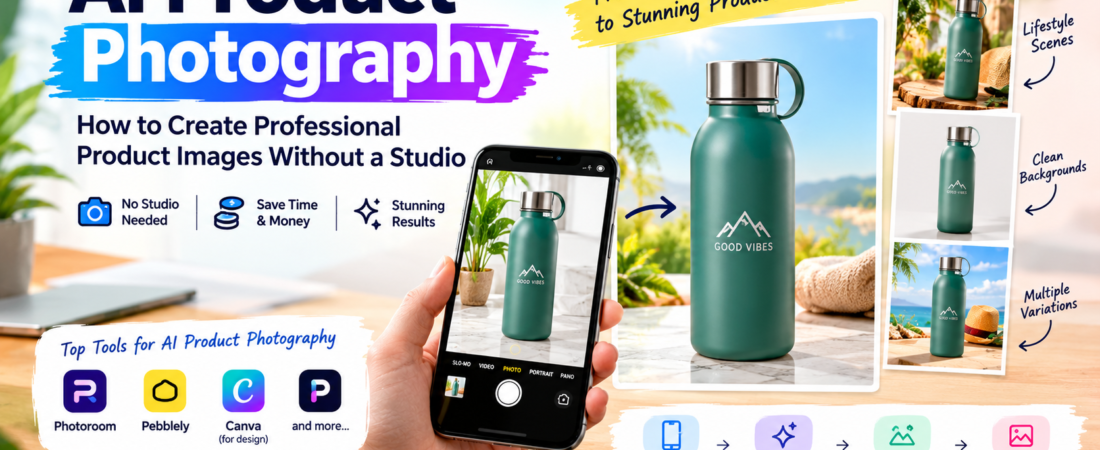
Professional product photography used to be one of the biggest costs of selling online.
A single photoshoot could mean studio rental, lighting equipment, a photographer, props, and days of retouching. For a small business with 50 products, that economics simply did not work.
AI product photography tools have changed the calculation. You can now start with an ordinary smartphone photo and produce clean catalogue images, lifestyle scenes and promotional visuals — no studio required.
This guide explains how the workflow actually works, which tools are worth using, and where AI product photography still falls short. For the broader picture of AI design tools across marketing, see our guide to the best AI design tools for marketers in 2026.
What AI Product Photography Tools Actually Do
Despite the name, these tools do not “photograph” anything. They work by:
- Separating your product from the background of your existing photo (AI background removal)
- Generating new scenes — marble countertops, seasonal settings, lifestyle environments
- Re-lighting and compositing the product into those scenes
- Producing multiple variations from a single source image
The output is a marketing image: perfect for social media, ads and product pages. It is not a substitute for accurate technical product documentation, which matters for marketplaces like Amazon.
Quick Answer: Which Tool Should You Use?
| Need | Best tool | Why |
| All-round e-commerce imagery | Photoroom | Background removal, AI backgrounds, batch workflows, strong free entry point |
| Fast, simple product scenes | Pebblely | Upload, describe the scene, generate |
| AI fashion models | Photoroom | AI model features for apparel |
| Full design + product workflow | Photoroom + Canva | Photography plus templates, resizing and publishing |
Step 1: Start With a Usable Source Photo
AI can rescue a mediocre photo, but it cannot rescue a bad one. To get the best results:
- Shoot in indirect daylight near a window
- Use a plain background where possible (it makes background removal cleaner)
- Keep the product in focus and fully in frame
- Avoid harsh shadows and reflections
- Clean the product first — dust and scratches get faithfully preserved
You do not need a professional camera. A recent smartphone in good light is enough.
Step 2: Remove and Replace the Background
This is where tools like Photoroom excel. Upload your source photo and the AI separates the product from its background in seconds.
From there you can place the product on:
- A pure white background (marketplace listings)
- A clean studio-style gradient (premium product pages)
- A described lifestyle scene (social media and ads)
For batch sellers, Photoroom’s batch processing applies the same treatment to dozens of images at once — a major time saver for catalogues.
Step 3: Generate Lifestyle Scenes
Lifestyle imagery answers the buyer’s question: “What does this look like in real life?”
Pebblely is the simplest route: upload the product image, choose or describe the scene — for example, “premium marble surface in a bright modern setting” — and generate variations.
Pebblely’s current pricing lists Lite at $9/month for 30 images, Basic at $19/month for 200 images and Pro at $39/month for 500 images, so it scales predictably with catalogue size.
Photoroom is the stronger all-round option. Its Pro plan is listed at $7.50/month billed yearly, with higher tiers for larger image volumes, and it includes AI backgrounds, AI fashion models and other product-focused features.
Step 4: Check Product Accuracy
This is the step most businesses skip, and it is the most important one.
AI-generated lifestyle imagery is not the same as accurate product photography. The AI can change your product while making it look beautiful — a handbag with the wrong strap, a bottle with a distorted label, a device with an extra button.
Before publishing any AI-generated product image, compare it against the actual product and check:
- Logo and label text
- Product shape and proportions
- Handles, straps, buttons and closures
- Packaging details
- Colours
If your product has important physical details, AI lifestyle scenes are for marketing and social content — not for the images buyers rely on to understand exactly what they are purchasing.
Step 5: Export in the Right Formats
Different channels need different specifications:
| Channel | Recommended output |
| Amazon / marketplaces | Pure white background, square, high resolution |
| Shopify / your website | Clean or lifestyle, consistent aspect ratio |
| Instagram feed | 1:1 or 4:5 |
| Instagram Stories | 9:16 |
| Ads | Multiple variations for testing |
Because each tool generates multiple sizes and variations, plan your exports around the channels you actually sell on.
When You Still Need a Real Photographer
AI product photography is not always the right answer. Consider a professional photographer when:
- Your product has fine physical details that buyers scrutinize
- You need technically accurate colour reproduction
- You are producing hero imagery for packaging or high-value campaigns
- Marketplace or platform rules restrict AI-generated listing images
A practical hybrid: use AI for the volume of everyday marketing images, and a photographer for the handful of hero assets that carry the brand.
A Realistic Workflow Example
Imagine a small store selling 30 handmade candles.
- Photograph all 30 candles once, in daylight, on a plain surface (one morning)
- Use Photoroom to remove backgrounds and create clean white catalogue shots (one hour)
- Generate three lifestyle scenes per candle — bathroom shelf, dinner table, gift setting (one hour)
- Export the best variations to Instagram, the product page and ad creatives
- Repeat only when the product range changes
Total cost: a tool subscription. Total studio time: zero.
This is why product photography is one of the areas where specialized AI tools deliver the largest benefit per dollar. We cover the broader e-commerce stack in AI tools for e-commerce marketing.
FAQ
Can I use AI product photos on Amazon? Amazon allows AI-enhanced backgrounds in many contexts, but its image policies evolve and it has restrictions around what listing images must show. Check current marketplace policies before using AI-generated scenes as your primary listing images.
Is a smartphone photo good enough as the source? Usually yes, if it is in focus, well lit and shot against a plain background. The quality of the source photo directly affects the quality of the AI output.
What is the difference between Photoroom and Pebblely? Photoroom is a broader e-commerce image platform with background removal, AI backgrounds, AI fashion models and batch processing. Pebblely is deliberately simpler: it focuses on turning a product photo into attractive scenes quickly.
Are AI product photos legally safe for ads? Generally yes for marketing imagery, but licensing terms vary by platform and plan. Always check the current commercial-use terms before using generated images in paid advertising. The same caution applies across AI design tools for marketers.
Do I still need a designer? For product images specifically, usually not. For the surrounding campaign design — banners, ads, social templates — a design tool or designer still adds value.
Final Verdict
For most online sellers, Photoroom is the strongest starting point, with Pebblely as a simpler alternative when all you need is attractive product scenes. Combine either tool with Canva for the surrounding marketing design, and a surprisingly large portion of an e-commerce content workflow needs no studio, photographer or agency at all.
The discipline that matters most: always verify that the generated image still matches the actual product before you publish it.