
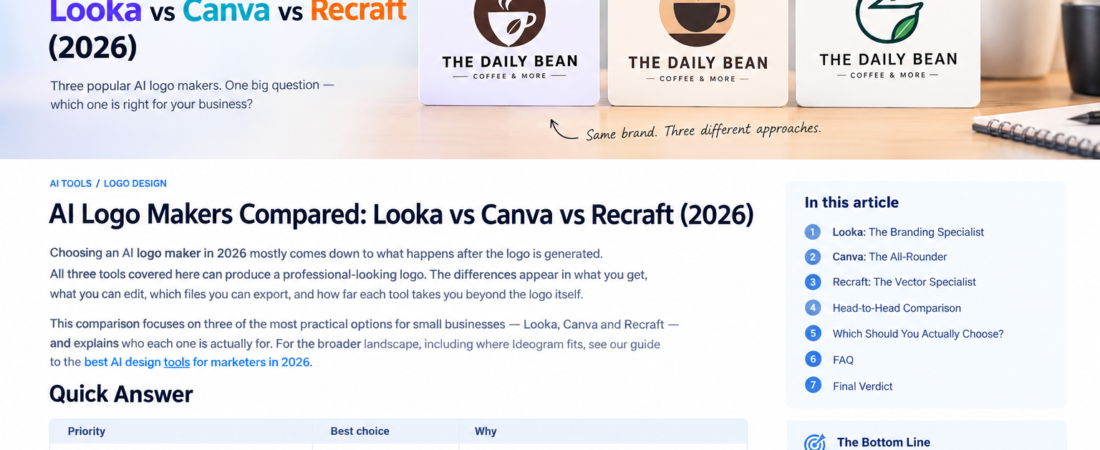
Choosing an AI logo maker in 2026 mostly comes down to what happens after the logo is generated.
All three tools covered here can produce a professional-looking logo. The differences appear in what you get, what you can edit, which files you can export, and how far each tool takes you beyond the logo itself.
This comparison focuses on three of the most practical options for small businesses — Looka, Canva and Recraft — and explains who each one is actually for. For the broader landscape, including where Ideogram fits, see our guide to the best AI design tools for marketers in 2026.
Quick Answer
| Priority | Best choice | Why |
| Fastest path to a full brand kit | Looka | Purpose-built logo-to-brand-identity workflow |
| Already designing other marketing assets | Canva | One platform for logo, posts, ads and documents |
| Vector control and design precision | Recraft | Vector-first generation and editing |
| Creative typography experiments | Ideogram (bonus) | Strongest at text inside images |
Looka: The Branding Specialist
Looka’s strength is that it never pretends to be a general design tool. It is built around one workflow: logo first, brand identity second.
You enter your business name and industry, select visual styles you like, and Looka generates logo concepts around them. From your chosen logo, its Brand Kit extends the identity into more than 300 branded assets — social posts, business cards, letterheads, advertisements and other marketing materials.
Looka’s Premium Logo package currently includes high-resolution PNG, SVG, EPS and PDF formats, while the Brand Kit is sold as an annual subscription.
Choose Looka if: you are starting a business and want a logo plus a consistent set of branded materials without designing each one yourself.
Avoid Looka if: you need ongoing general design work. Looka is a branding platform, not a day-to-day design tool.
Canva: The All-Rounder
Canva is not a dedicated logo maker, but it deserves a place in this comparison for a practical reason: most small businesses need a logo as part of a wider stream of marketing design.
Canva’s advantages:
- Logo templates that are fully editable, not just AI-generated concepts
- The same platform then handles your social posts, ads, banners and documents
- Brand kit features keep fonts and colours consistent across everything
- Generative AI features assist with images and backgrounds inside the editor
The weakness: because Canva is general-purpose, its logo workflow is not as specialized or guided as Looka’s. You are doing more of the design work yourself.
Choose Canva if: you want one subscription to cover the logo and everything that comes after it.
Avoid Canva if: you want a hands-off branding experience where the tool builds the identity for you.
We compare Canva’s broader positioning against Adobe’s in Canva vs Adobe Express: which is better for small business?
Recraft: The Vector Specialist
Recraft takes a different approach: it generates true vector graphics, which you can then edit at the level of individual shapes and paths.
Why this matters:
- Vector files scale infinitely — the same logo works on a business card and a storefront sign
- You can adjust colours, shapes and structure with real design control
- Recraft’s current paid plans provide commercial rights and ownership for generated images, according to its pricing information
The trade-off is the learning curve. Recraft is more design-oriented than Looka or Canva. If your entire brief is “give me a professional logo for my coffee shop,” Looka is easier. If you care about craft, icon families and visual systems, Recraft rewards the effort.
Choose Recraft if: vector quality, ownership and design control matter more than speed.
Avoid Recraft if: you want the simplest possible path from idea to finished logo.
The technical reasons vector output matters are covered in vector vs raster logos: what small businesses need to know.
Head-to-Head Comparison
| Looka | Canva | Recraft | |
| Best for | Logo + brand kit | All-round design | Vector graphics |
| Beginner friendly | Excellent | Excellent | Moderate |
| Logo workflow | Purpose-built | Template-based | Generation + editing |
| Vector files | Yes (Premium) | Limited | Core feature |
| Brand kit | Strong | Good | Not the focus |
| Ongoing design work | Weak | Excellent | Moderate |
Which Should You Actually Choose?
Three practical profiles:
The new business owner. You need a logo, colours, fonts and matching marketing materials, quickly. Choose Looka. Its brand-kit approach means you are buying a starting identity, not just an image file.
The hands-on marketer. You will be producing social posts, ads and documents every week anyway. Choose Canva, and build the logo inside the same platform so everything stays consistent.
The design-conscious founder. You care how the logo is constructed and may need it for packaging, signage or print at scale. Choose Recraft for true vector output and ownership.
A note on Ideogram: if your logo concept depends heavily on typography or text inside the image, Ideogram’s text rendering is worth exploring before you commit — just expect to finish the production files elsewhere. The full rationale is in our best AI design tools for marketers comparison.
FAQ
Can an AI logo really be professional? Yes. AI logo makers produce genuinely usable business logos, especially when the underlying workflow (templates, brand kits, vector export) is strong. The result is only as good as your judgement in selecting and refining concepts.
Do I own the logo an AI tool makes for me? Ownership and commercial rights depend on the platform and the plan you purchase. Looka grants full ownership with its paid packages; Recraft provides commercial rights on paid plans. Always check current terms before purchasing.
Which tool gives me SVG files? Looka includes SVG in its Premium Logo package, and Recraft is built around vector output. Canva’s vector export options are more limited.
Can I trademark an AI-generated logo? Possibly, but do not assume it. Trademark availability depends on uniqueness and your jurisdiction. Have a trademark search done before investing heavily in an AI-generated identity.
Should I use more than one tool? A common pattern is generating concepts in one tool and finishing them in another — for example, exploring typography in Ideogram, then building the final vector files in Recraft or Looka.
Final Verdict
- Looka for the fastest path from nothing to a complete small-business brand
- Canva when the logo is one piece of a much larger stream of marketing design
- Recraft when vector quality and design control are the priority
None of them is “the best” in the abstract. The right choice depends on whether you are buying a brand kit, a design platform or a vector workflow — and how much of the design work you want to do yourself.