
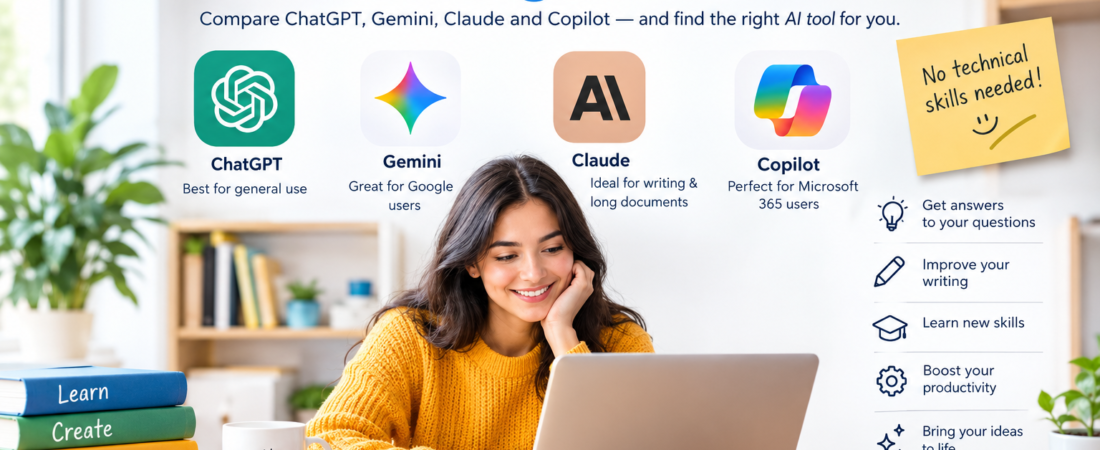
If you have never used artificial intelligence before, ChatGPT is the best AI for most beginners to try first. It is simple to use, works through a normal chat interface, and can help with everyday questions, writing, learning, brainstorming, planning, and many other tasks.
However, ChatGPT is not automatically the best choice for everyone.
If you already use Gmail, Google Drive, Google Docs, or an Android phone, Google Gemini may feel more natural. If you spend most of your working day in Word, Excel, PowerPoint, or other Microsoft products, Microsoft Copilot may be the better fit. And if your main interest is writing, editing, or working with long documents, Claude is worth considering.
The good news is that you do not need technical knowledge to start using any of these tools.
In this guide, we will compare the main AI tools for beginners, explain what each one is good at, show you what you can actually do with AI, and give you simple prompts you can try today.
What Makes an AI Tool Good for Beginners?
Not every AI tool is designed for the same type of user. Some are built for developers, businesses, researchers, or people who already understand AI.
For a beginner, the important thing is not having the most advanced AI available. What matters is finding a tool that is easy to understand and useful for the things you actually want to do.
Here are the main things to look for.
Ease of use
A good beginner AI should allow you to open the website or app, type a normal question, and receive an understandable answer.
You should not need to learn coding, complicated commands, or technical AI terminology.
A useful free option
You should be able to try an AI tool before deciding whether it is worth paying for.
Most major AI assistants offer some form of free access, although the available features and usage limits can change.
Quality of answers
An AI assistant should be able to explain things clearly, help with writing, answer questions, and assist with everyday tasks.
Remember, however, that no AI tool is always correct. A confident-sounding answer can still contain mistakes.
Ability to handle different tasks
For a beginner, one flexible AI tool is usually better than five specialised tools.
A useful AI assistant should be able to help with things such as:
- Writing emails
- Explaining difficult topics
- Summarising information
- Brainstorming ideas
- Creating study notes
- Planning projects
- Improving grammar
- Generating content ideas
- Basic coding help
- Research assistance
Phone and computer access
You may start using AI on your phone and later move to a computer when you have larger tasks.
Having both web and mobile access makes the learning process easier.
Help and learning resources
Popular AI tools have thousands of tutorials, examples, guides, and communities around them. This can be useful when you do not know what to ask or how to get a better answer.
The Best AI Tools for Beginners
The four tools most beginners are likely to compare are ChatGPT, Google Gemini, Claude, and Microsoft Copilot.
They are all capable, but they have different strengths.
ChatGPT
Best for: Most complete beginners and general everyday use
ChatGPT is a conversational AI assistant from OpenAI. You type a question or instruction in ordinary language and continue the conversation based on the answer.
This makes it particularly easy for someone who has never used AI before.
You can start with something as simple as:
“Explain compound interest in simple words.”
Then continue with:
“Give me a real-life example.”
And then:
“Explain it as if I am 15 years old.”
You do not have to start a new conversation for every question. You can continue asking follow-up questions and refine the answer.
Why ChatGPT is good for beginners
- Simple chat-based interface
- Useful for many different tasks
- Good for writing and rewriting
- Useful for learning and explanations
- Helpful for brainstorming and planning
- Can assist with basic coding
- Can work with various types of content and files depending on available features
- Large amount of beginner guidance available online
What are the disadvantages?
ChatGPT has many features, and that can sometimes make the platform feel more complicated as you move beyond basic chatting.
Free access also has limits on some advanced features, and the available models and features can change over time.
Like every AI assistant, ChatGPT can also produce incorrect information.
Best for: Someone who wants one AI tool that can handle many different everyday tasks.
Google Gemini
Best for: Google users, Android users, students, and people who use Google services
Gemini is Google’s AI assistant.
Its biggest advantage for many beginners is the connection with the Google ecosystem.
If you already spend your day using Gmail, Google Drive, Google Docs, Android, and other Google services, Gemini may feel familiar.
Gemini can help with writing, brainstorming, learning, planning, research-style tasks, and creative work.
Strengths of Gemini
- Simple conversational interface
- Strong connection with Google’s ecosystem
- Useful for people who already use Google services
- Helpful for learning and study
- Available across Google’s supported devices and services
- Offers capabilities such as image generation, research-oriented features, and other tools depending on the plan and region
Weaknesses
The Google AI product and plan structure can sometimes be confusing for beginners.
Some advanced capabilities have different availability depending on your country, account, device, and subscription.
Best for: People who already live inside the Google ecosystem, especially Android users and students.
Claude
Best for: Writing, editing, long documents, and people who prefer a clean interface
Claude is Anthropic’s AI assistant.
One of its biggest strengths is working with written information. It can be useful when you need to understand, summarise, rewrite, or organise a large amount of text.
For example, you could give Claude a long report and ask:
“Summarise this report into the five most important points.”
You could then ask:
“Explain point number three in simple language.”
This makes it useful for students, writers, researchers, and office workers.
Strengths of Claude
- Natural and readable responses
- Strong for writing and editing
- Useful for long documents
- Good for summarising information
- Clean and relatively simple interface
- Useful for reasoning through complicated subjects
Weaknesses
The free version has usage limitations.
It may also be less attractive if your main requirement is a particular ecosystem such as Google or Microsoft.
Best for: Beginners who mainly want help with writing, editing, documents, studying, and understanding long information.
Microsoft Copilot
Best for: Windows and Microsoft 365 users
Microsoft Copilot is Microsoft’s AI assistant.
The important thing for beginners to understand is that “Copilot” can refer to different experiences across Microsoft’s products.
If you already use Windows, Edge, Word, Excel, PowerPoint, or Outlook, Copilot may make more sense than choosing a completely separate AI platform.
Strengths of Copilot
- Convenient for Microsoft users
- Works across Microsoft’s ecosystem
- Useful for writing and brainstorming
- Helpful for web-based questions
- Can assist with documents and productivity tasks
- Particularly useful when AI is integrated into your existing Microsoft workflow
Weaknesses
The different Copilot experiences can be confusing for newcomers.
Some deeper Microsoft 365 integrations require an eligible subscription.
If you do not use Microsoft products regularly, some of Copilot’s biggest advantages may not matter to you.
Best for: Beginners who already work heavily with Windows and Microsoft 365.
ChatGPT vs Gemini vs Claude vs Copilot for Beginners
The following is an editorial comparison rather than a scientific test. Your personal preference and the software ecosystem you already use can change the result.
| AI Tool | Ease of Use | Best For | Learning Curve | Beginner Rating |
|---|---|---|---|---|
| ChatGPT | Very easy | General use, writing, learning, brainstorming | Very low | ★★★★★ |
| Google Gemini | Very easy | Google users, Android, study and everyday tasks | Very low | ★★★★★ |
| Claude | Easy | Writing, editing and long documents | Low | ★★★★☆ |
| Microsoft Copilot | Easy | Windows and Microsoft 365 users | Low–medium | ★★★★☆ |
Important: AI models, free-plan limits, features, pricing, and regional availability change frequently. Always check the provider’s current information before making a purchasing decision.
Which AI Is Easiest to Use?
For a person who has never used AI before, ChatGPT is generally the easiest place to start.
The reason is simple.
You open it, type what you want in normal language, and receive an answer. If the answer is not what you wanted, you simply explain what needs to change.
For example:
First question:
“Explain how a monthly budget works.”
If the answer is too complicated, you can say:
“Make it easier to understand.”
Then:
“Give me an example for someone earning $2,000 per month.”
Then:
“Turn that into a simple table.”
That back-and-forth conversation is one of the most useful things about beginner-friendly AI.
However, “easiest” is personal.
If you already use Google every day, Gemini may feel easier.
If you spend most of your working time in Microsoft Office, Copilot may be more convenient.
If you mainly write reports, articles, or other documents, Claude may suit you better.
The easiest AI is often the one that fits naturally into the tools you already use.
Which AI Is Best for Different Types of Beginners?
There is no single winner for every situation.
Here is a simpler way to choose.
Best AI for Students
Google Gemini and ChatGPT are both strong choices for students.
They can help explain difficult subjects, create study plans, turn notes into quizzes, brainstorm essay ideas, and practise questions.
Gemini can be especially convenient for students already using Google services.
The important thing is to use AI as a learning assistant rather than simply submitting AI-generated work as your own.
Best AI for Writing
ChatGPT is the best starting point for most beginners who want general writing help.
It can help you:
- Write emails
- Improve grammar
- Rewrite sentences
- Change the tone of a message
- Create outlines
- Brainstorm titles
- Draft social media posts
Claude is a strong alternative, especially when you are working with longer documents or want detailed editing assistance.
Best AI for Research
There is no single AI that should be treated as the final source of truth.
ChatGPT, Gemini, Claude, and specialist research-focused tools such as Perplexity can all help you understand a subject and find useful information.
For important research, use AI to:
- Understand the topic.
- Identify important questions.
- Find potential sources.
- Summarise information.
- Organise your findings.
Then check important claims against reliable sources.
Best AI for Work
Microsoft Copilot is particularly attractive if your work already revolves around Microsoft 365.
For general work outside Microsoft’s ecosystem, ChatGPT is usually a simpler starting point.
Both can help with emails, documents, brainstorming, planning, summaries, and other everyday office tasks.
Best AI for Coding Beginners
ChatGPT and Claude are both useful for people learning to code.
You can ask an AI to explain:
“What does this line of Python code do?”
You can also paste an error and ask:
“Explain why I am getting this error and show me how to fix it.”
The important part is not simply copying the code.
Ask the AI why something works. That is how you turn AI assistance into actual learning.
Best AI for Creating Images
ChatGPT and Gemini are both useful options for beginners interested in AI image creation.
You can start with a simple instruction such as:
“Create a friendly illustration of a person learning to cook in a bright kitchen.”
Then gradually add information about the style, composition, colours, subject, and purpose.
You do not need to learn complicated image-generation terminology to get started.
Best AI for Everyday Questions
ChatGPT is the best all-round choice for most people.
You can use it for things such as:
- Planning a trip
- Writing a message
- Understanding a topic
- Comparing products
- Creating a checklist
- Brainstorming ideas
- Planning a meal
- Learning a new skill
Gemini is also a strong choice, especially if you already use Google services and Android.
Best AI for Someone Who Has Never Used AI Before
If you have absolutely no experience with AI and do not know where to start:
Start with ChatGPT.
Use it for a few simple tasks first. Once you understand how conversational AI works, try another tool if you have a specific reason.
You do not need to learn four AI tools at the same time.
What Can Beginners Actually Do With AI?
AI becomes much more useful when you stop thinking of it as something complicated and start treating it like an assistant.
Here are some practical examples.
Write emails
Ask AI to make an email shorter, more polite, more professional, or easier to understand.
Understand difficult subjects
Ask the AI to explain something using simple language and a real-world example.
Summarise documents
Give it a suitable document or text and ask for the main points, action items, or important questions.
Brainstorm ideas
You can use AI for business ideas, blog topics, gifts, travel activities, project ideas, names, and much more.
Learn a new skill
Ask for a beginner-friendly learning plan with small exercises.
Create study notes
Turn notes into summaries, flashcards, questions, or quizzes.
Improve grammar
Ask AI to correct grammar while keeping your original meaning and writing style.
Plan projects
Give the AI a goal and ask it to break the work into smaller steps.
Create social media content
AI can help create first drafts, captions, hooks, and content ideas.
Always review the final content so it still sounds like you.
Get basic coding assistance
Ask AI to explain errors, demonstrate simple examples, or teach you programming concepts.
Do You Need Technical Knowledge to Use AI?
No.
You do not need to know programming or understand how AI models work to use a chatbot.
If you can type a message into a phone, you can start using AI.
The main skill you need is learning how to explain what you want.
Compare these two requests:
“Write about exercise.”
with:
“Write a 150-word explanation of the benefits of walking for someone who has never exercised regularly. Use simple language and give three practical tips.”
The second request gives the AI much more useful information.
This is the basic idea behind prompting.
How to Start Using AI as a Beginner
You do not need a complicated learning plan.
Follow these steps.
1. Choose one AI tool
If you are unsure, start with ChatGPT.
2. Create a free account
Start with the free version. You can always consider a paid plan later.
3. Ask simple questions
Start with something useful in your daily life.
For example:
“Give me five easy dinner ideas using chicken and rice.”
4. Ask follow-up questions
If the answer is too complicated, tell the AI.
Try:
“Make it simpler.”
Or:
“Give me a practical example.”
5. Give the AI context
Tell it who the answer is for, what you are trying to achieve, and how you want the answer formatted.
6. Check important information
Do not blindly trust AI with medical, legal, financial, academic, or other high-stakes information.
7. Gradually try more advanced tasks
Once you are comfortable, start using AI with documents, planning, research, learning, and creative projects.
A simple first-week goal is enough:
- Use AI to answer one question.
- Use it to improve one piece of writing.
- Use it to help you learn something.
That is already enough to understand the basics.
10 Beginner AI Prompts You Can Try
You can copy these prompts and replace the information inside the brackets.
1. Learn something
“Explain [topic] to me like I am a complete beginner. Use simple words and give me one real-life example.”
2. Write an email
“Write a polite email to [person] about [situation]. Keep it clear, professional, and under 150 words.”
3. Summarise information
“Summarise the following text into five important points and tell me what actions I need to take: [paste text].”
4. Create a study plan
“Create a beginner-friendly plan for learning [subject] over [time period]. Include weekly goals and simple practice exercises.”
5. Brainstorm ideas
“Give me 10 ideas for [goal]. Rank them from easiest to most ambitious and explain each one briefly.”
6. Create a checklist
“Turn these notes into a clear step-by-step checklist for [project]: [paste notes].”
7. Improve writing
“Review this paragraph for grammar, clarity, and tone. Keep my original meaning: [paste paragraph].”
8. Compare two options
“Compare [option A] and [option B] for a beginner. Use a simple table and recommend one based on this situation: [explain situation].”
9. Learn through questions
“I am learning [subject]. Ask me five questions one at a time to test my understanding. Explain my mistakes after each answer.”
10. Plan a task
“Help me plan [task]. Ask me the most important questions first, then create a step-by-step plan.”
[Internal Link Opportunity: How to Write Better AI Prompts]
Common Mistakes Beginners Make When Using AI
AI is easy to use, but beginners can still make some common mistakes.
Trusting every AI answer
AI can be wrong.
It may provide an incorrect date, number, calculation, source, or explanation while sounding completely confident.
Always check important information.
Giving vague instructions
The more useful context you provide, the better your chances of getting a useful response.
Instead of:
“Write an article.”
Try:
“Write a 1,500-word beginner-friendly article about home gardening. Use simple language and include five practical tips.”
Sharing sensitive information
Avoid giving AI tools information such as:
- Passwords
- Bank details
- Private identification numbers
- Confidential business information
- Sensitive personal information
Understand the privacy settings and policies of the service you are using.
Expecting the first answer to be perfect
AI works particularly well as a conversation.
If the first answer is not right, tell it what needs to change.
Trying too many AI tools at once
You do not need ChatGPT, Gemini, Claude, Copilot, Perplexity, and ten other tools on your first day.
Choose one.
Learn how it works.
Then try another tool when you have a reason.
Copying AI content without editing it
AI can produce a useful first draft, but you should review and improve it.
Your own experience, knowledge, examples, and judgment are what make the final result more useful.
Is AI Difficult to Learn?
No.
Basic AI tools are surprisingly easy to learn.
You do not need to understand machine learning, programming, algorithms, or artificial intelligence theory to use a chatbot.
Think of it like having a conversation.
You ask something.
The AI responds.
You tell it what you want changed.
It responds again.
The skill improves naturally as you use it.
The most important habit is to be clear about what you want.
Is Free AI Good Enough for Beginners?
Yes. For most beginners, free AI is more than enough.
You can use free versions for many everyday tasks, including:
- Asking questions
- Learning
- Writing
- Brainstorming
- Summarising
- Planning
- Grammar improvement
- Basic research
- Basic coding assistance
You should not feel pressured to pay for an AI subscription immediately.
Start with a free option.
Use it regularly.
If you eventually find that you are constantly reaching usage limits or need advanced features, then consider upgrading.
AI companies frequently change their plans, models, limits, and features, so check the current pricing and feature information before subscribing.
Which AI Should You Choose?
If you are still confused, use this simple guide:
| If you want… | Start with… |
|---|---|
| One AI for almost everything | ChatGPT |
| An AI connected to Google services | Gemini |
| Help with writing and long documents | Claude |
| AI integrated into Microsoft products | Copilot |
| Research with visible sources | Perplexity |
You do not have to choose only one forever.
In fact, once you become comfortable with AI, using two different tools for different jobs can make sense.
Final Verdict: Which AI Is Best for Beginners?
So, which AI is best for beginners?
For most people, ChatGPT is the best AI to start with.
It has a simple conversational interface, covers a wide range of everyday tasks, and allows a complete beginner to start asking questions without learning technical concepts first.
But the “best” AI depends on your situation.
Choose ChatGPT if you want one flexible AI for general use.
Choose Gemini if you already use Google services or Android heavily.
Choose Claude if writing, editing, and long documents are your main priorities.
Choose Microsoft Copilot if your everyday work revolves around Windows and Microsoft 365.
And if you are interested in research with sources, you can explore Perplexity after you are comfortable with the basics.
The biggest mistake is spending too much time trying to find the perfect AI before actually using one.
Pick one.
Ask it a real question.
Try a simple task.
Then ask a follow-up question.
That is the easiest way to learn.
The best AI for a beginner is not necessarily the one with the longest feature list. It is the one you understand, trust appropriately, and actually use.
Frequently Asked Questions
Which AI is best for complete beginners?
ChatGPT is the best starting point for most complete beginners because it is simple to use, flexible, and suitable for many everyday tasks. Gemini, Claude, and Copilot can also be excellent choices depending on what you already use.
What is the easiest AI to use?
ChatGPT is generally one of the easiest AI assistants for a first-time user. You can type questions in normal language and continue the conversation with follow-up instructions.
Is ChatGPT good for beginners?
Yes. ChatGPT is particularly useful for beginners because it can help with everyday questions, writing, learning, brainstorming, planning, and many other tasks without requiring technical knowledge.
Is AI difficult to learn?
No. You do not need coding skills to use a beginner-friendly AI chatbot. The main skill is learning to explain what you want clearly and checking important information.
Can I use AI for free?
Yes. ChatGPT, Gemini, Claude, and Copilot all offer free access in some form. However, available features and usage limits can change.
Which AI is best for everyday use?
ChatGPT is a strong all-round choice for everyday use. Gemini is another excellent option, particularly for people who already use Google’s services.
What should a beginner use AI for?
Start with simple, low-risk tasks such as explaining a topic, improving an email, brainstorming ideas, summarising notes, creating a study plan, or organising a project.
Do I need coding skills to use AI?
No. You can use AI chatbots entirely through normal language. Coding becomes relevant only when you want to develop software or use more technical AI tools.
Which AI is better for beginners, ChatGPT or Gemini?
For someone who wants one general-purpose AI, ChatGPT is usually the easier starting point. Gemini may be the better choice if you already depend heavily on Google services and Android.
How do I start learning AI?
Choose one beginner-friendly AI tool, create a free account, and use it for simple tasks. Learn to give clear instructions, ask follow-up questions, and verify important answers. You will learn much faster by actually using AI than by simply reading about it.